Before you start posting your AI videos, take a little time to set your Instagram account up properly.
This part does not need to be complicated, but it does matter.
Your goal is to create a profile that looks complete and intentional, then spend a few days using Instagram naturally so the platform starts understanding what type of content you are interested in and what niche your new account belongs to.
Set up
1
Create Your Instagram Account
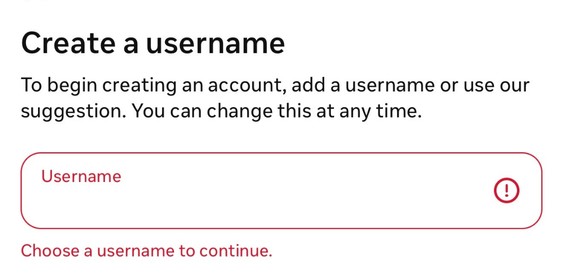
If you are starting a brand-new page specifically for your AI content, create the account using an email address such as Gmail or iCloud.
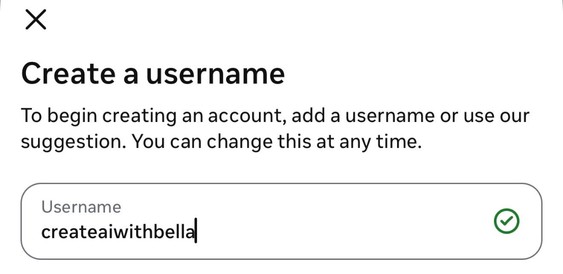
Try to avoid making your username unnecessarily complicated with lots of underscores, dots, random numbers or symbols.
Simple is easier to remember, easier to search and looks more professional.
Do not spend hours trying to find the perfect username. Your content will matter much more than your handle.
3
Add a Profile Picture
Choose a clear, good-quality profile picture.
Showing your face
If you are comfortable showing your face, I recommend using a good photo of yourself. It can make the account feel more personal and trustworthy + you’ll be able to verify your account properly.
Staying faceless
If you prefer to stay faceless, you can use:
a clean brand image
a professional AI-generated portrait
a simple logo
another image that fits the overall aesthetic of your page
Whatever you choose, make sure it looks clear even when displayed as a small circle.
4
Write a Clear Bio
Your bio should quickly tell people what they can expect from your page.
You do not need to write your entire life story. Keep it short and specific.
Examples:
Creating cinematic stories with AIAI mini movies + creative tutorials
If you plan to teach eventually, you can make that clear too.
Your bio can always change later. Do not let this step delay you from starting.
5
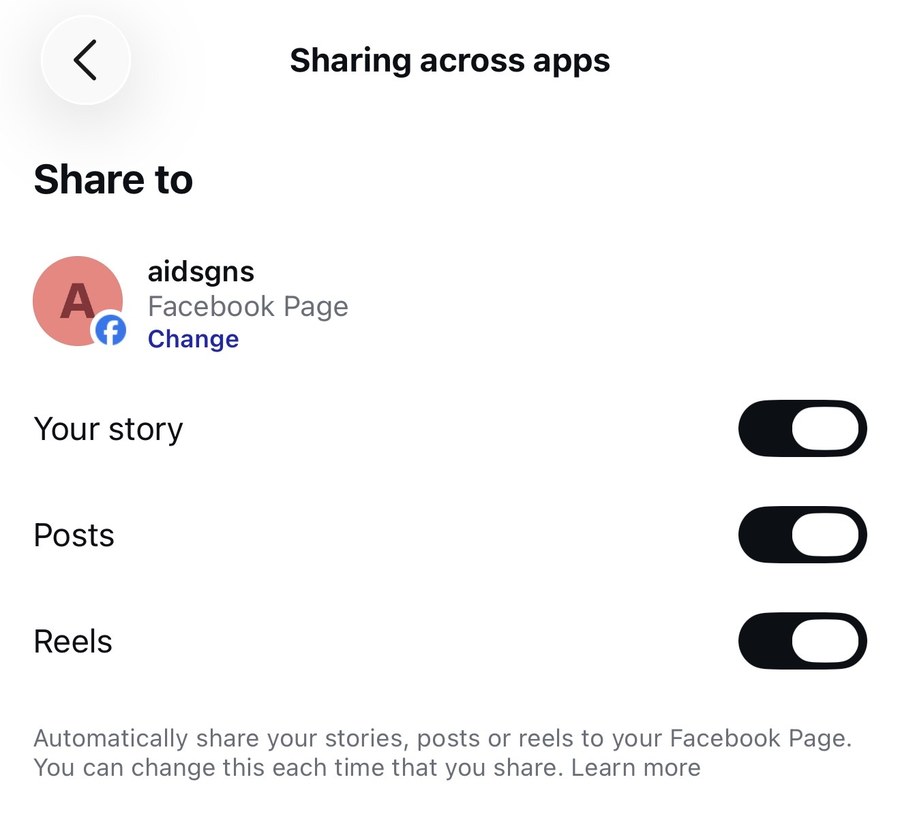
Connect Your Facebook Account
I recommend connecting your Instagram account to Facebook through Meta.
This gives you the option to share your content across both platforms instead of relying only on Instagram.
You do not necessarily need to create completely different content for Facebook. The same short-form AI videos can often be repurposed across both platforms.
The more places your content can be discovered, the better.
6
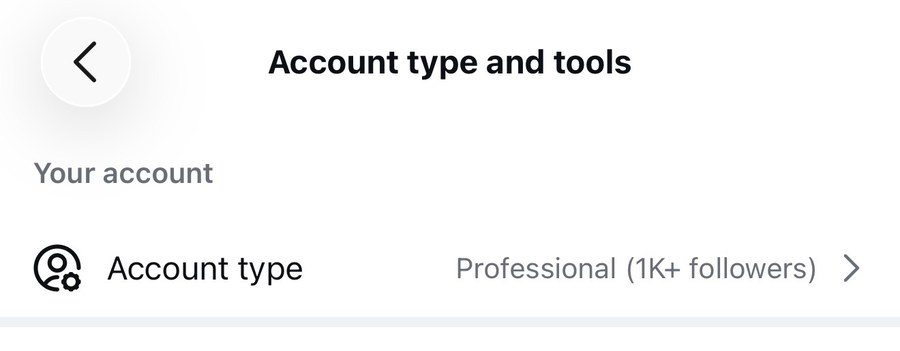
Switch Your Account to a Professional Creator Account
Once your profile is complete, switch your Instagram account from a personal account to a Professional account.
For this type of page, choose Creator, not Business.
A Creator account gives you access to useful tools such as:
post and Reel insights
reach and engagement data
follower growth
audience information
professional dashboard features
performance tracking
You want access to this data because once you start posting, you need to understand what is actually working.
You want to be able to check things like:
how many people your Reel reached
how many people shared it
how many saved it
whether people visited your profile
whether the Reel brought you followers
which videos are producing the strongest engagement
This information becomes extremely valuable once you have several videos posted because it allows you to stop guessing and start creating more of what your audience is responding to.
7
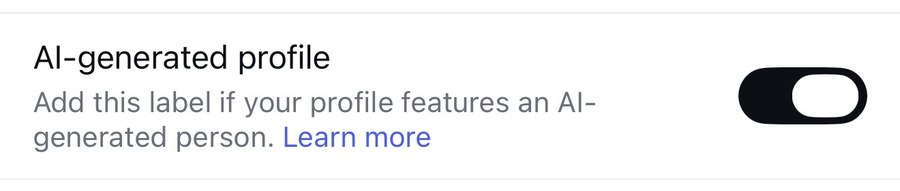
Label Your Profile Clearly as AI-Generated
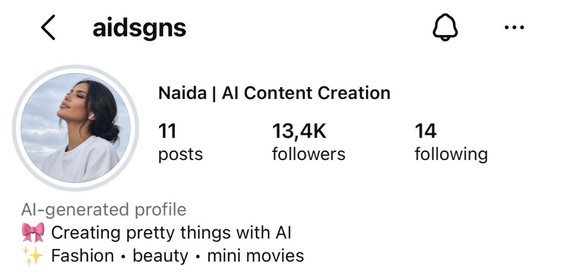
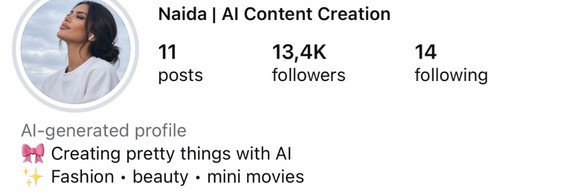
If your page is primarily built around AI-generated characters, AI mini movies or synthetic visuals, I recommend being very clear about that from the beginning.
If Instagram gives you the option to label the profile as AI-generated or to disclose AI-generated content, turn that option on.
Transparency matters.
You do not want someone visiting your account and believing that fictional AI characters or scenes are real people or real events.
It also makes your positioning clearer. You are not trying to hide the fact that the content is AI. AI creation is literally the purpose of the page.
You can also reinforce this in your bio with wording such as:
AI-generated cinematic storiesCinematic AI content + mini movies
The clearer your account is about what it creates, the better.
And when Instagram gives you disclosure or labeling options for AI-generated content, use them appropriately rather than trying to avoid them.
That keeps your account aligned with the direction Meta is taking around authenticity and transparent use of AI-generated media.
Warm up
8
Teach Instagram What You Want to See
Before you start posting, begin interacting with the type of content you want your account to be associated with.
Think of this as training your feed.
If you are going to create cinematic AI videos, search for content related to:
cinematic AIAI filmmakingAI mini moviesAI storytellingMidjourneyAI videocinematic reelsAI charactersvintage AI videosshort AI films
Open videos that are similar to what you want to create.
Watch them.
Like some of them.
Save the ones that inspire you.
Follow a few creators whose content genuinely interests you.
The goal is not to manipulate Instagram. The goal is simply to use the account consistently around the type of content you actually plan to create.
Instagram gradually learns from your behavior.
If all you watch is cooking, fitness and memes while planning to post cinematic AI videos, your activity is completely disconnected from the niche you are trying to build.
Keep your early engagement focused.
9
Warm Up Your New Account
If the account is completely new, I recommend giving it a short warm-up period before you start posting heavily.
You do not need to warm it up for weeks.
A few days of natural activity is enough.
Day 1
Spend around 10–15 minutes on Instagram.
Search for creators in your niche.
Watch relevant Reels.
Like a few videos.
Follow around 1–3 creators you genuinely enjoy.
Do not sit there liking 50 videos in a row.
Use the app naturally.
The point is to behave like a normal Instagram user, not a bot.
Day 2
Spend around 20–30 minutes total on the app.
You can do this all at once or split it into two short sessions.
Continue watching content related to the niche you plan to post in.
You can:
like relevant videos
save inspiration
leave a few genuine comments
follow a few more creators
watch full videos instead of immediately scrolling away
You can also post a simple Story. It can be anything.
A photo.A quote.A poll.A behind-the-scenes image.A simple text Story.
The point is simply to start using the account normally.
Day 3
Continue the same type of activity.
At this point, your Explore page and Reels feed should already start showing you more content related to AI, cinematic videos and the type of creators you have been engaging with.
Spend some time watching.
Like and comment naturally.
Save examples that inspire you.
You are almost ready to post.
Day 4
Now it is time to post your first Reel.
Before posting, spend around 10–15 minutes using Instagram naturally.
Watch a few Reels.
Interact with content you genuinely like.
Then publish your video.
After posting, do not panic-refresh your analytics every two minutes. 😂
Give the content time.
Grow
→
What To Do After You Start Posting
Once you begin posting consistently, you do not need to repeat some huge warm-up routine every day.
Just continue using the app naturally.
Spend a few minutes:
watching content in your niche
saving inspiration
interacting with creators
replying to comments
responding to DMs
checking what is currently performing well
Then focus most of your time on actually creating.
The goal is not to become a professional Instagram scroller. The goal is to become a creator.
!
What Not To Do
Avoid behavior that looks unnatural. For example:
following 100 people in one hour
liking hundreds of posts very quickly
copying and pasting the same comment everywhere
mass-following and then unfollowing people
posting 10 Reels immediately on a completely empty account
constantly changing your niche
deleting content every time it does not perform immediately
This is so important: how often to post
First 24 hoursDo not post 3 Reels. Many accounts that do this end up marked as spam.
First 10–15 daysPost 1 Reel every 24 hours.
After thatIf you want, you can post more, but leave at least 8 hours between Reels so each one has room to breathe.
Since I started my account, I’ve only posted 1 Reel every 24 hours, and that was more than enough for my growth. I recommend the same, especially as a new account.
If you want to post more than once a day, wait at least 10–15 days first, so the algorithm recognizes you as a human, not a bot.
You want your account activity to look human and consistent.
→
Give Instagram Enough Information
When you begin posting, keep your content relatively consistent.
That does not mean every video needs to look identical. But there should be a recognizable theme.
For example, if your page is about cinematic AI storytelling, your content might include:
romantic mini moviesvintage cinematic scenesfunny AI storiesdramatic short filmsfantasy scenescinematic character moments
They are different concepts, but they still belong under the same broader identity.
This helps both Instagram and your audience understand why they should follow you.
?
Using an Old Account?
If you already have an account where you posted something completely different, like an AI influencer doing makeup transitions, dancing or AI podcasts, and you suddenly start posting AI mini movies, don’t expect thousands or millions of views straight away. That usually never happens.
The algorithm has already learned what your previous Reels were about, and it was sending them to people interested in that content. Just because you now post a 30-second AI mini movie doesn’t mean it’s going to blow up.
The algorithm needs time to learn what your new content is about and who to send your Reels to.
It can also confuse the people who followed you for something completely different.
That’s why I always recommend starting a new account with a clear niche, like I explained earlier. If you don’t want to create a new account, that’s okay, just expect that the algorithm needs time to adjust and learn from your new content.
→
Do Not Judge Your Account Too Early
One of the biggest mistakes new creators make is deciding something is “not working” after three posts.
Your first few videos may perform well.
They may perform badly.
One may suddenly take off.
Another may sit there quietly.
That is normal. You need enough content posted before you can start identifying patterns.
Pay attention to:
which concepts get the most views
which videos people rewatch
which videos get shared
which videos bring profile visits
which videos bring followers
what people mention in the comments
what type of opening makes people stop scrolling
Use that information to improve the next video.
Do not expect every Reel to behave the same way.
→
Your Goal During the First Week
Your goal is not to create a perfect Instagram account. Your goal is to start.
By the end of your first week, aim to have:
a completed profile
a clear niche
a feed full of relevant inspiration
your first few videos posted
some data showing what people respond to
a better understanding of what you enjoy creating
From there, you refine.
♥
Final Reminder
Do not spend two weeks “preparing” your account because you are scared to post.
Set it up.
Warm it up for a few days.
Start creating.
Start posting.
Learn from what happens.
Your first videos are not supposed to be perfect.
You get better by making more of them.
Am I ready to post?
Everything you’ve ticked shows here. Tap anything you missed to jump back to it.
Quick check
Answer all 6 to make sure nothing important was missed.
You’re ready to post ❤️Your account is set up, warmed up, and you know what not to do.